¶ Setup Re-enroll
¶ Overview
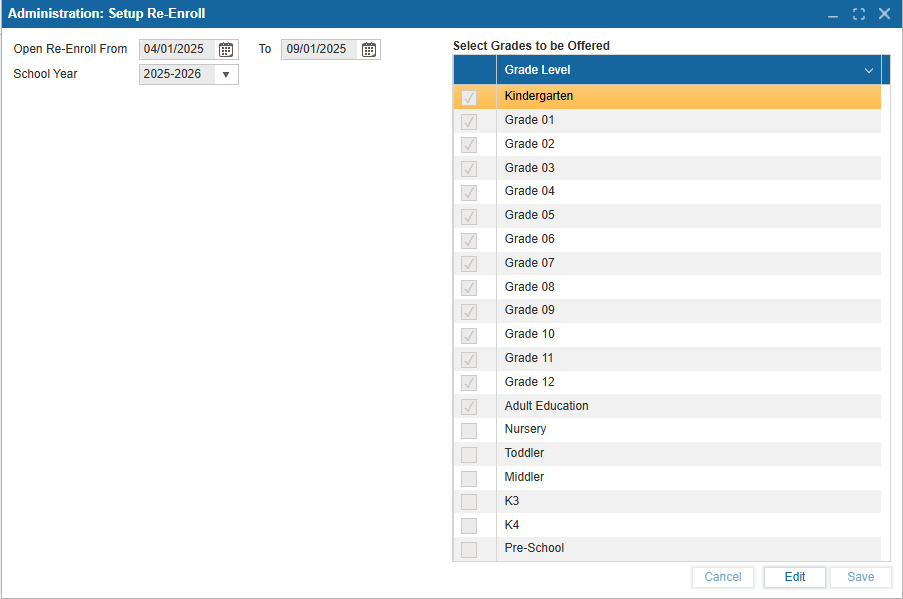
The Set Up Re-Enroll feature is available in the Admin Portal under the Administration module. It can be used to set the window of time re-enroll is open for the upcoming school year. This window of time will determine when the Public Portal is able to see and use the Re-Enroll Feature.
¶ Set Up Re-Enroll
-
Select Edit to adjust the range of dates Re-Enroll is open for.
-
Select the grades from the table that are offered in the following School year.
-
Select Save to implement changes.
¶ Customization
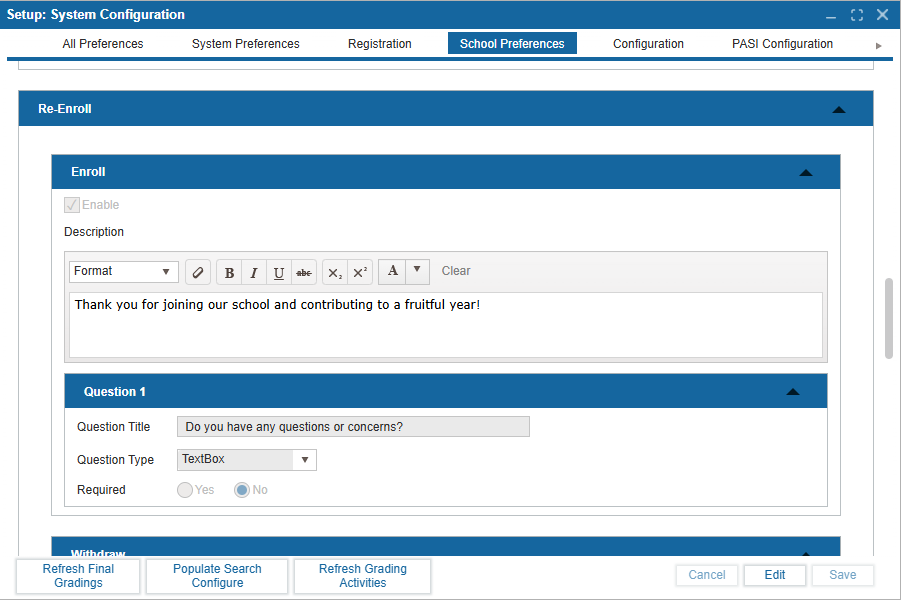
Additionally, Setup: System Configuration: School Preferences includes a re-enroll section where you may include additional custom questions.
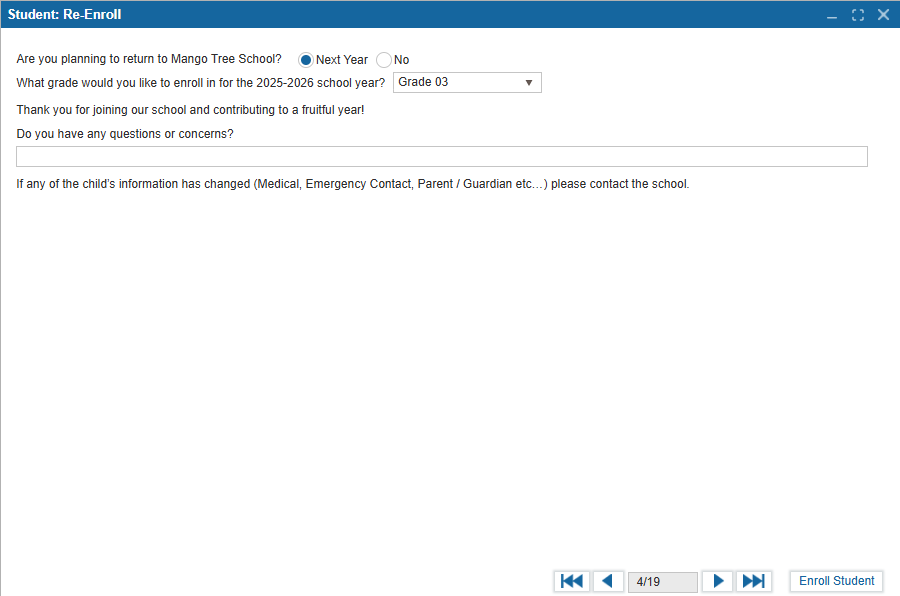
By default, Student: Re-Enroll will include two questions:
-
Are you planning to return to [School Name]?
Select either "Next Year" or "No" -
What grade would you like to enroll in for the [20XX-20XX] school year?
Dropdown will include all grades set to be offered in the next school year as determined by Initial Set Up.
Additional custom questions can be added in Setup: System Configuration. The following is available:
-
A Description textbox that includes formatting options
-
Question 1 which has fields Question Title, Question Type, Question Data, and radio buttons to state if the questions are required or optional.
-
You may add as many additional questions using the (+) icon as necessary or delete them using the trash can icon.
Once you customize Re-Enroll, select the Enable checkbox to ensure it appears on the Admin and Public portal.