¶ Report Cards-Course
¶ Steps to Edit and Finalize Report Cards:
After making all the necessary selections as mentioned in the report cards overview page, follow these steps to edit and finalize the report cards:
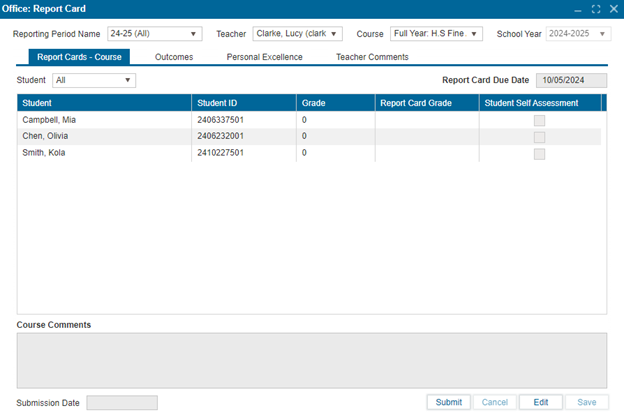
- Navigate to Office: Report Card > Report Cards - Course.
- Ensure you are in Edit mode.
- Click on the Report Card Grade field for the student you wish to edit. You can enter either a letter grade or a numerical grade in this field. All other fields in this section are read-only.
- Save to confirm and apply the changes.
Version: 252 Updated: February 4, 2025