¶ Outcomes
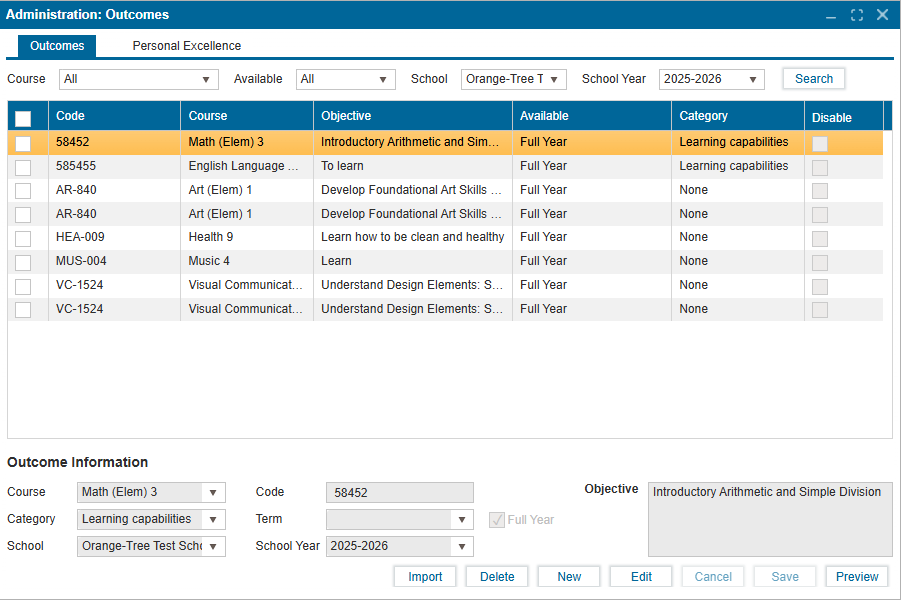
The Outcomes feature of the Administration module is available to create new and manage existing curricular outcomes associated with a course. There are two main tabs in this feature:
-
Outcomes – Can be created at the district or school level.
- School users can only create outcomes for their assigned school.
- District users create outcomes at the district level by default, making them available to all schools, but these can be limited to a specific school if required.
- An outcome can be set for a specific term, semester, or the full year.
- Outcomes are available in both the grading module and report cards.
-
Personal Excellence – The same creation rules apply as Outcomes but are only used on students’ report cards.
¶ Viewing Existing Outcomes
If outcomes have already been created, the Outcomes tab will, by default, display all outcomes for all courses in the selected school for the current year. Outcomes are initially sorted alphanumerically by their "Code" column and users can re-sort data by clicking the header titles "Code", Course", "Objective", "Available", and "Category".
¶ Creating a New Outcome
- Navigate to Administration > Outcomes > Outcomes tab.
- Click New and enter all required Outcome Information.
- Enter the Objective (mandatory).
- Click Save to apply and confirm changes.
¶ Notes
- Outcomes can be disabled using the Disable checkbox. Disabled outcomes will not appear in the grading module.
- The Category field is optional and is only used to group outcomes on the report card. Categories can be edited in Setup > Parameters 1.
- Selecting the Full Year checkbox disables the Term dropdown. To set objectives by term, leave this box unchecked.
¶ Importing Outcomes
The Import button allows you to upload all outcomes at once in two ways:
-
School Year
- Import all outcomes from a previous school year for the entire school.
-
File Upload
- Upload a CSV file to populate fields directly into the Outcomes table.
- The CSV file must follow this format with the exact headers:
CodeCourseObjectiveAvailableDisable
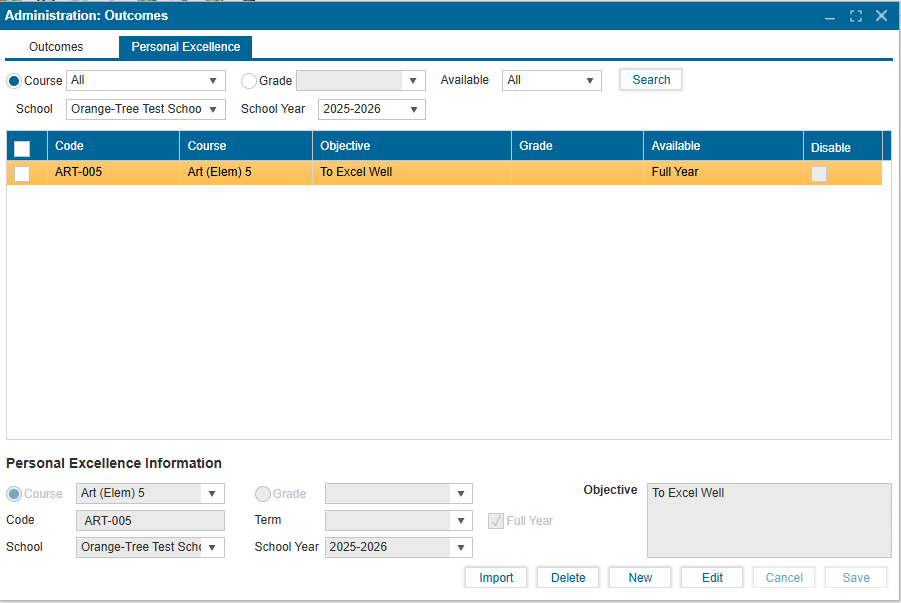
Personal Excellences follow the same creation, editing, and import process as Outcomes but are only used on report cards.
¶ Creating a Personal Excellence
Follow the same steps outlined in Creating a New Outcome.
¶ Importing Personal Excellences
The import process is the same as for Outcomes, with one key difference:
- An additional Grade Level field is available. Selecting a grade applies the personal excellences to that grade only; leaving it blank applies them to all grades.
- File Upload
- Users can upload a CSV file to populate fields directly into the Personal Excellence table.
- The CSV file must follow this format with the exact headers:
CodeCourseObjectiveAvailableDisable