¶ Student Attendance
School admin users can manage attendance for any student in any course. When an admin user logs into the Student Management System, they must navigate to Student >> Attendance. This section includes four tabs for managing attendance:
¶ Tabs:
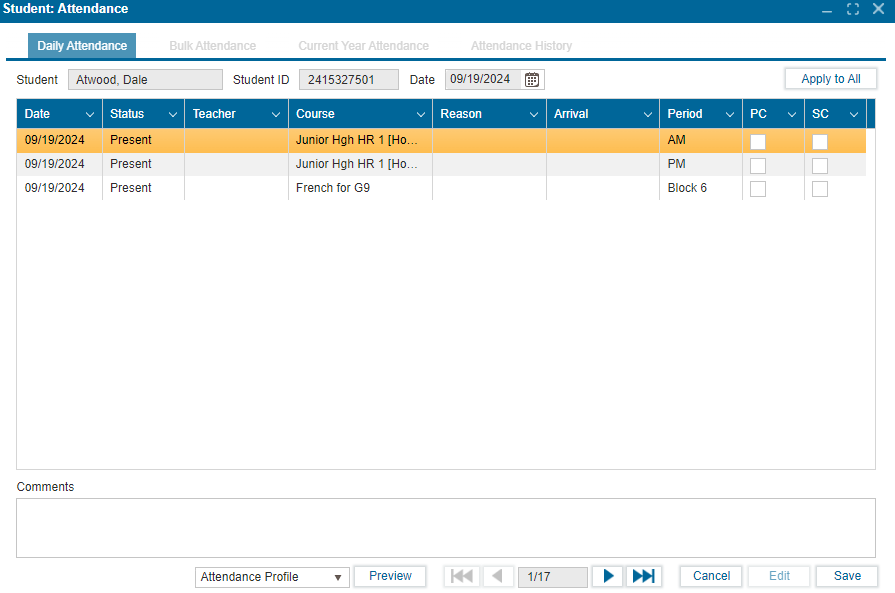
- Daily Attendance
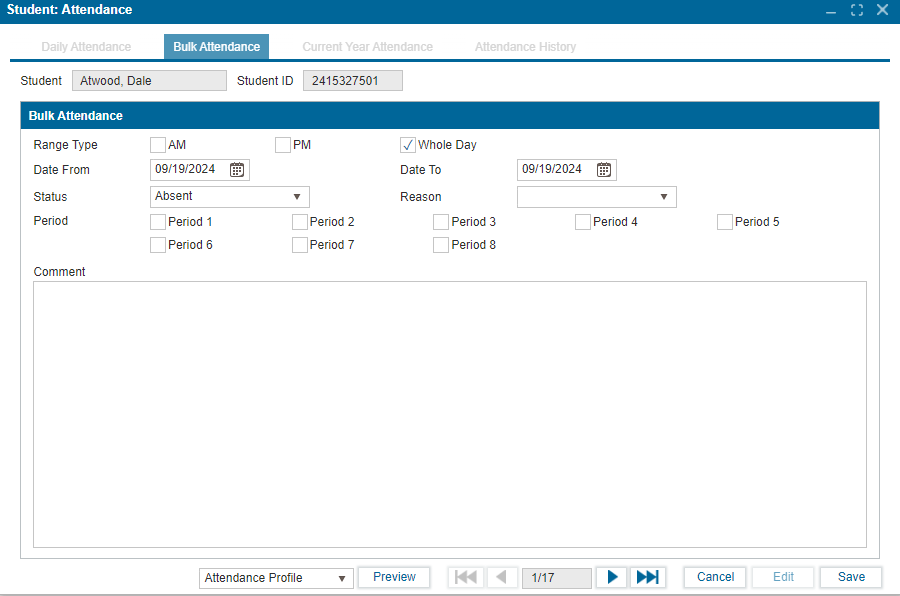
- Bulk Attendance – Visible only to admins, hidden from students
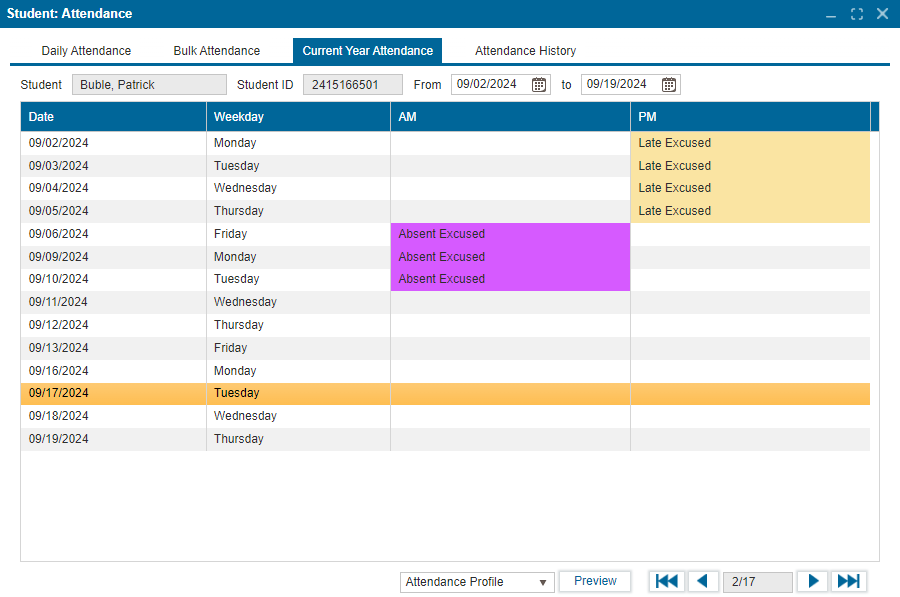
- Current Year Attendance – Displays the daily schedule of courses
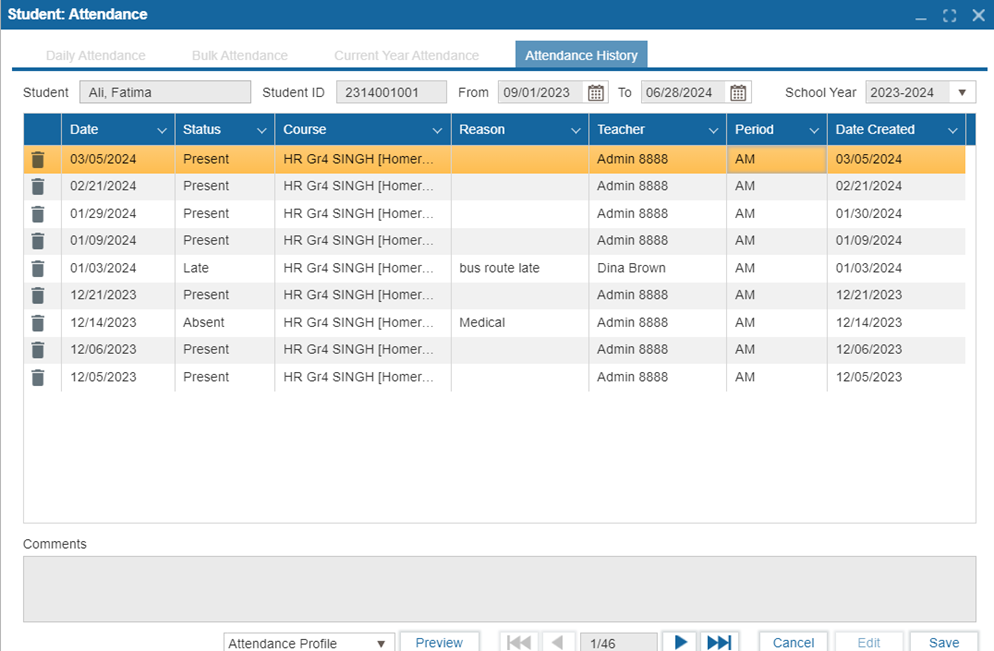
- Attendance History
- Navigate to Student >> Attendance.
- The system will route user to search for students using the search functionality.
- Select the student from the list
- Select the Daily Attendance tab and click Edit.
- Adjust the attendance status by clicking in the status field (keep clicking till a suitable status is seen)
- If Present is selected, input the Arrival Time.
- If Absent, select a reason.
- If Late, select a reason and input the Arrival Time.
- Click Save to confirm changes.
- Use the Preview button to review the selected attendance report from the dropdown list.
Version: 252 Updated: February 4, 2025
Bulk attendance allows user to take attendance in two ways:
- AM/PM – Attendance taken by homeroom
- Period – Attendance taken by courses/classes
Steps to take Bulk Attendance:
- Navigate to Student >> Attendance.
- Use the search function to find and select the student.
- Select the Bulk Attendance tab and click Edit.
- Choose the range type, date range, status, reason, and periods.
- Add comments if necessary.
- Click Save to confirm changes.
Version: 252 Updated: February 4, 2025
This tab displays the student's daily attendance, broken down by AM/PM or periods.
Steps:
- Navigate to Student >> Attendance.
- Use the search function to find and select the student.
- Click on the Current Year Attendance tab to view the academic year’s attendance.
Version: 252 Updated: February 4, 2025
- Navigate to Student >> Attendance.
- Select the Attendance History tab and click Edit.
- Use the trash icon beside any record to delete it.
- Note: The comments field is currently non-functional.
- Click Save to confirm changes.
Version: 252 Updated: February 4, 2025