¶ PASI Configuration
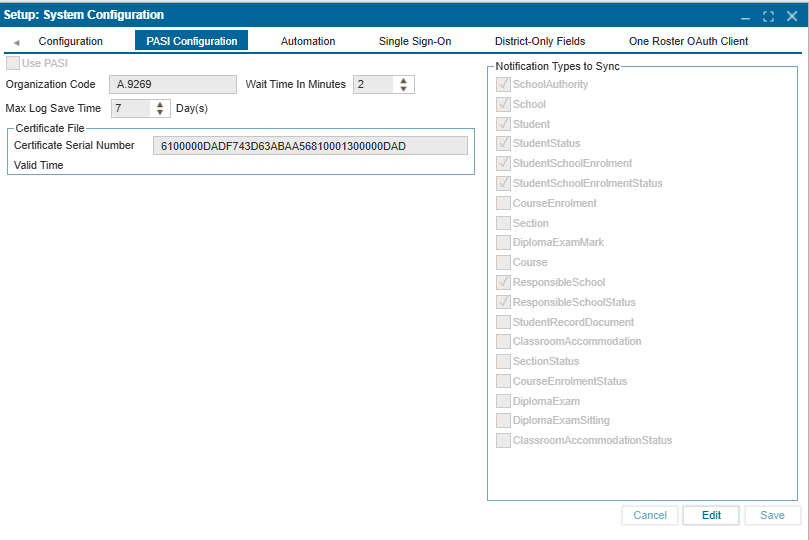
The PASI Configuration tab is where the PASI field sync settings are specified.
¶ Setting Up PASI Configuration
- Click Edit to enable modifications.
- Check the checkbox "Use PASI".
- Enter all necessary information in the respective fields.
- In the "Notification Types to Sync" section, use the checkboxes to select fields in the ISMS that will sync with PASI.
- Click Save to confirm changes.