¶ District-Only Fields
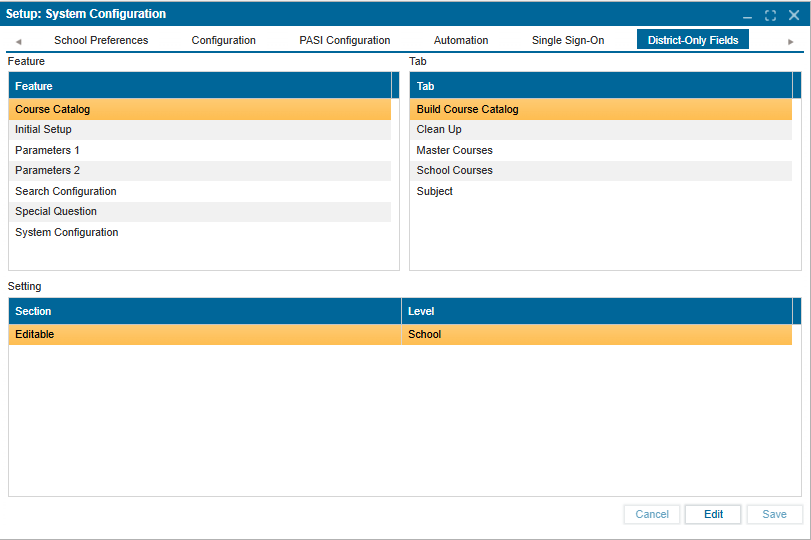
The District-Only Fields tab allows administrators to define whether specific features and settings are controlled at the school level or the district level. This ensures consistency in configuration while allowing flexibility where needed.
¶ How to Use:
- Navigate to District-Only Fields under System Configuration.
- Select a Feature from the left panel.
- Choose the corresponding Tab to view or modify settings.
- Review the Settings section to determine whether a feature is editable at the School or District level.
- Click Edit to make changes, then Save to confirm and apply changes made.