¶ Schools
Users might see other schools in the province but will only be able to make changes to their own school.
¶ To Enter School Details:
-
Navigate to
Setup > Initial Setup. -
Select the Schools tab.
-
In Edit mode:
¶ School Detail Subtab:
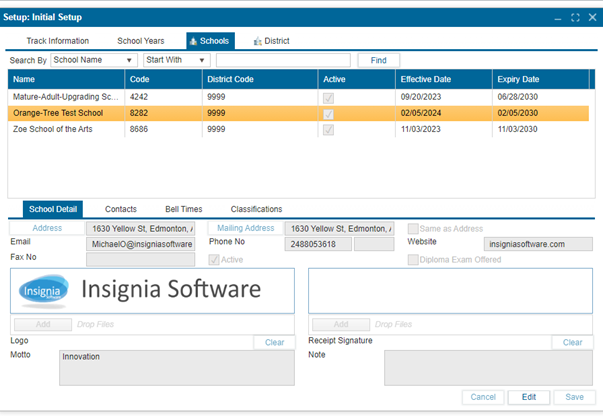
- Enter the relevant information in the editable fields.
- Click the
Addressbutton to enter address details in the provided fields. - Click
Addon the left to attach a school logo that will appear on reports. - Click
Addon the right to attach a logo that will appear on payment receipts. - Click
Saveto confirm changes.
¶ Contacts Subtab:
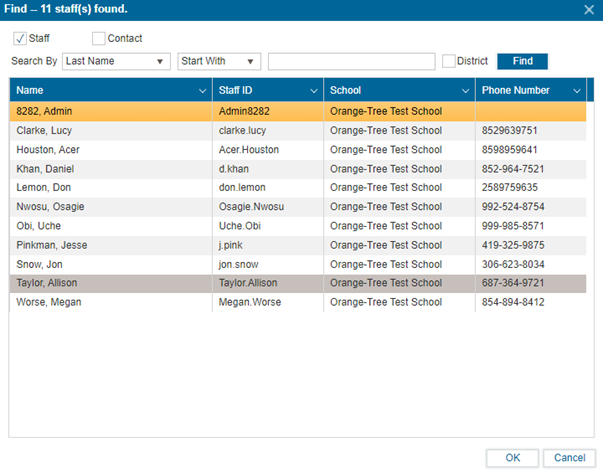
To add additional contacts to the school information:
- In Edit mode, click the
+icon. - Use the checkboxes to refine the search.
- Click
Find. - Select the contact and press
OKto add the contact.
¶ Bell Times Subtab:
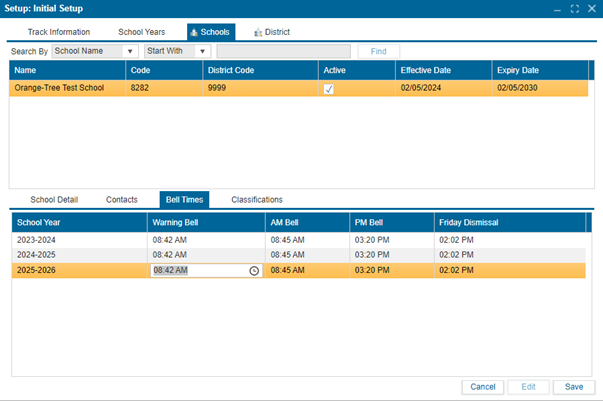
To edit the bell times for the school:
- In Edit mode:
- Click on the Warning Bell, AM Bell, PM Bell, and Friday Dismissal columns to adjust the times as needed.
- Click
Saveto confirm changes.
¶ Classifications Subtab:
(Instructions to be added for this subtab as needed.)