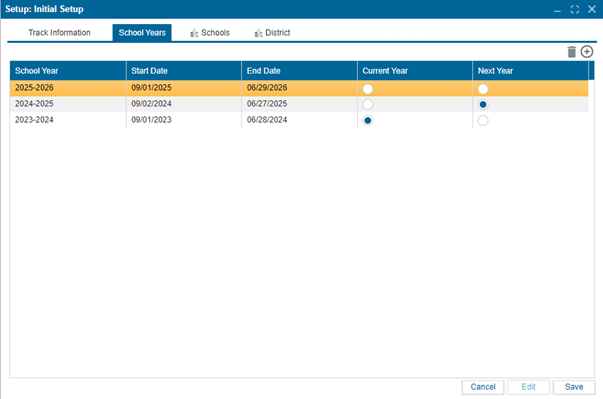
¶ School Year
¶ To Set Up the School Year
The school year must be set up before any track information is entered. School years can be created manually here.
- Navigate to
Setup > Initial Setup. - Select the School Years
- In Edit mode:
- Click the
+button to add a new school year. - Give it a name, such as
2024-2025.
- Click the
- Adjust the Start and End Dates as needed.
- Use the radio buttons in the Current Year and Next Year columns to specify the current and next school year.
- Click
Saveto confirm changes.