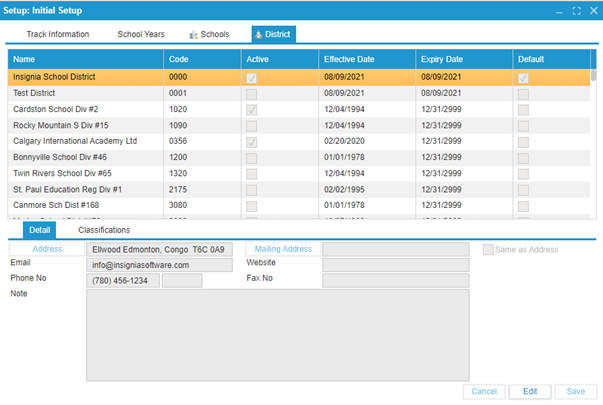
¶ District
This tab is read-only for Admin users unless they have district-level access. In that case, they can only edit details for their specific district.
¶ To Enter/Edit Information About a District:
- Navigate to Setup > Initial Setup.
- Select the District tab.
- Click on the “+” icon to set up a new district and enter the following details:
3.1. Enter the Name.
3.2. Enter the Code`.
3.3. Check or uncheck the Active checkbox.
3.4. Set the Effective and Expiry dates.
3.5. Check or uncheck the Default checkbox. - Enter the relevant information such as the address and other contact details.
- Click
Saveto confirm changes.