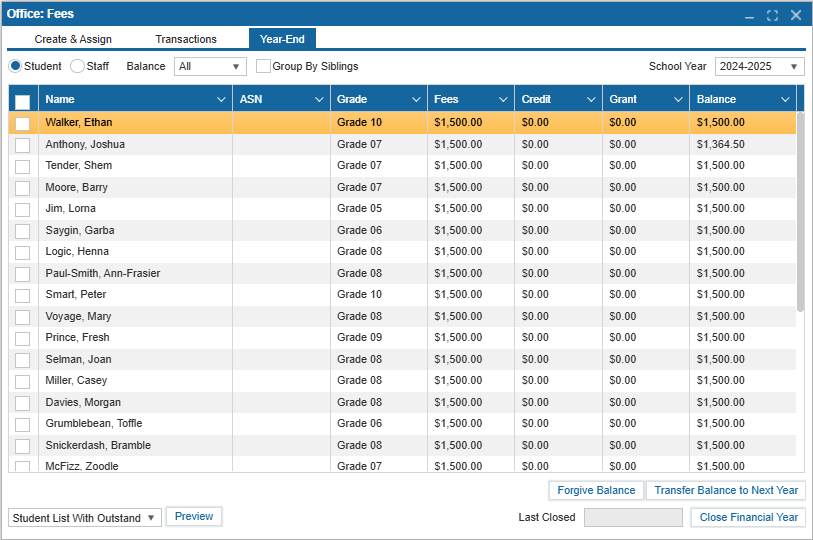
¶ Year End
The Year-End tab in Office: Fees provides a whole-school overview of outstanding student fees for the school year. Schools can use this section to generate a list of all students with unpaid fees, ensuring nothing is missed before finalizing the year’s records.
If applicable, the Year-End tab also includes the ability to track any outstanding staff fees.
¶ Steps to Review Outstanding Fees:
- Navigate to
Office: Fees >> Year-Endtab. - Select a Balance Type from the Balance field dropdown (Options: All, Owing, or Surplus; default is All).
- Check the Group By Siblings box to group siblings and their collective fees together.
- Ensure the current school year is selected using the dropdown menu.
- Select individual or multiple students by checking the boxes next to their names and perform one of the following actions:
- Forgive Balance: This action removes the fee owed by the student, setting their balance to zero.
- Transfer Balance to Next Year: This action transfers the fee to the next academic year, so it will appear on the student’s account for the following year.
- Once all outstanding fees have been resolved, the Financial Year can be closed.