¶ Administration: Setup Lunch
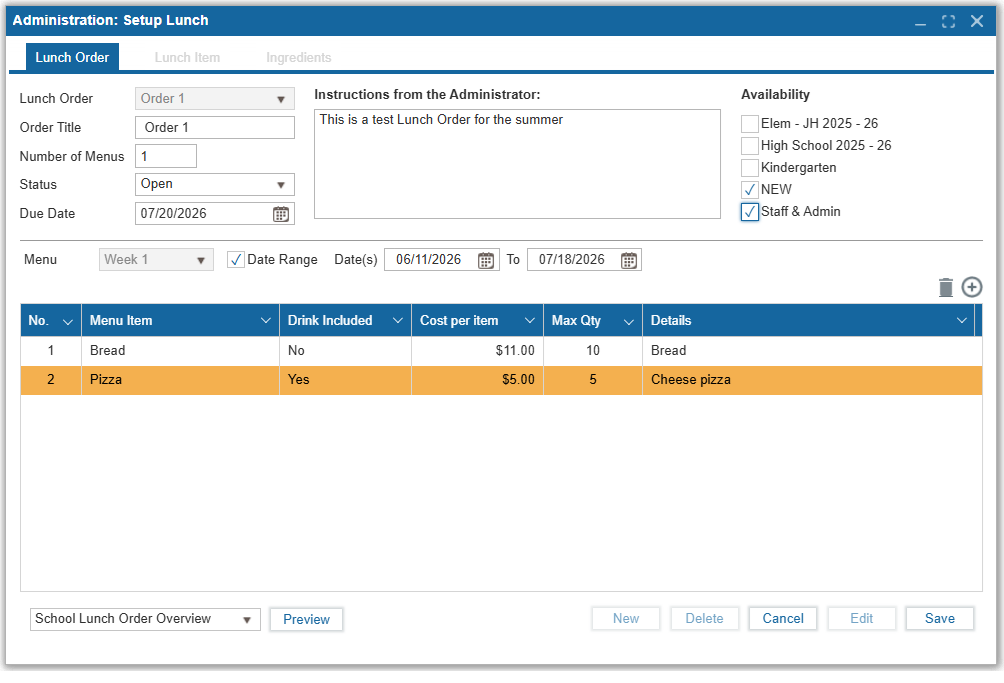
Schools can create and manage school-wide Lunch Orders within this tab
- Click New to create a new Lunch Order
- Enter an Order Title to name the Lunch Order
- Enter the number of menus available for this lunch order. A menu represents a day or several days of available food items for sale.
- Status defaults to Open but can be closed or archived after completing setup of this lunch order
- Enter a Due Date for when this lunch order ends for students or staff to place their orders
- Include instructions in the free text box to guide students and/or staff
- Click the checkboxes for whom this lunch order is applicable to. It will be made available immediately to them once this lunch order has menu items saved and remains in Open status and due date has yet to arrive
- Edit name of Menu and begin entering each menu item by clicking + symbol
- For each menu item entered, specify if a drink is included, the cost, maximum quantity, and more information about the food items in that menu
- Click Save
- Click Edit to modify menu title,items, dates, he Name of each menu
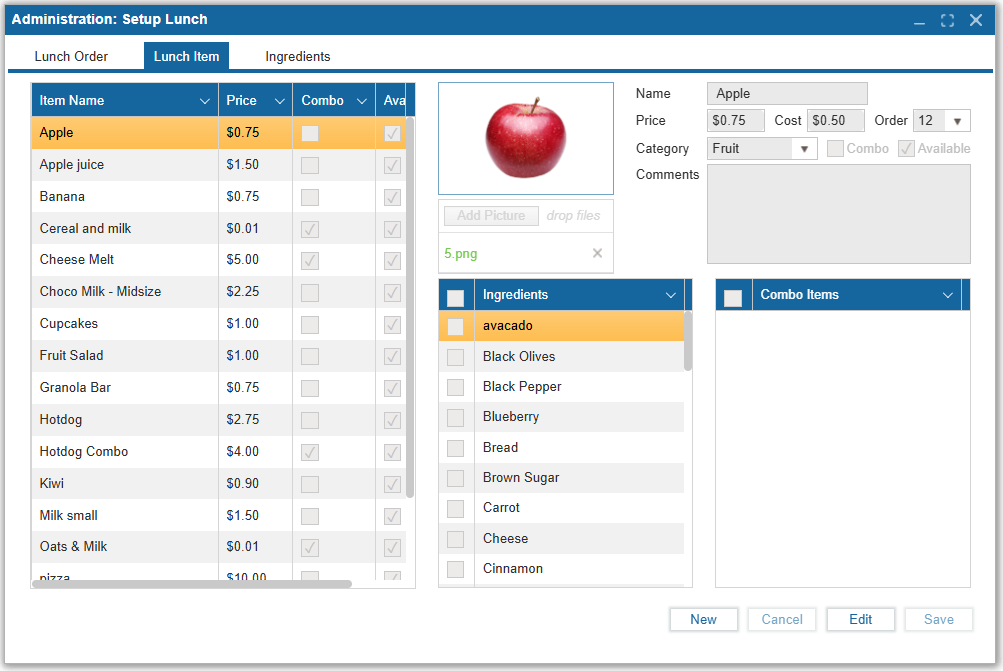
The Lunch Item is where food items are configured specifically for the Lunch Checkout feature. This feature is provided for the convenience of an on-demand food ordering, tracking, and payment system, similar to a school canteen program. There is communication between this feature and others including allergy warnings, parent administered daily lunch limits, and student or staff member's available lunch credits to facilitate payment. To begin, add a new item to the menu by clicking the New button at the bottom. Then:
- Add a photo of the item
- Add an item name
- Add a price (cost to the student)
- Add a cost (money spent to acquire the item for the cafeteria)
- Add an order number (controls where the item will appear in the Lunch Checkout screen)
- Choose a category (see next section for explanation)
- Choose whether or not the item is part of a combo
- Choose whether or not the item is available
- Add any comments
- Select any ingredients from the list that are in the item
- Select the other menu items that are part of the combo (if applicable)
Click the Save button to save the item. Previously created items can be viewed and edited using the table on the left side.
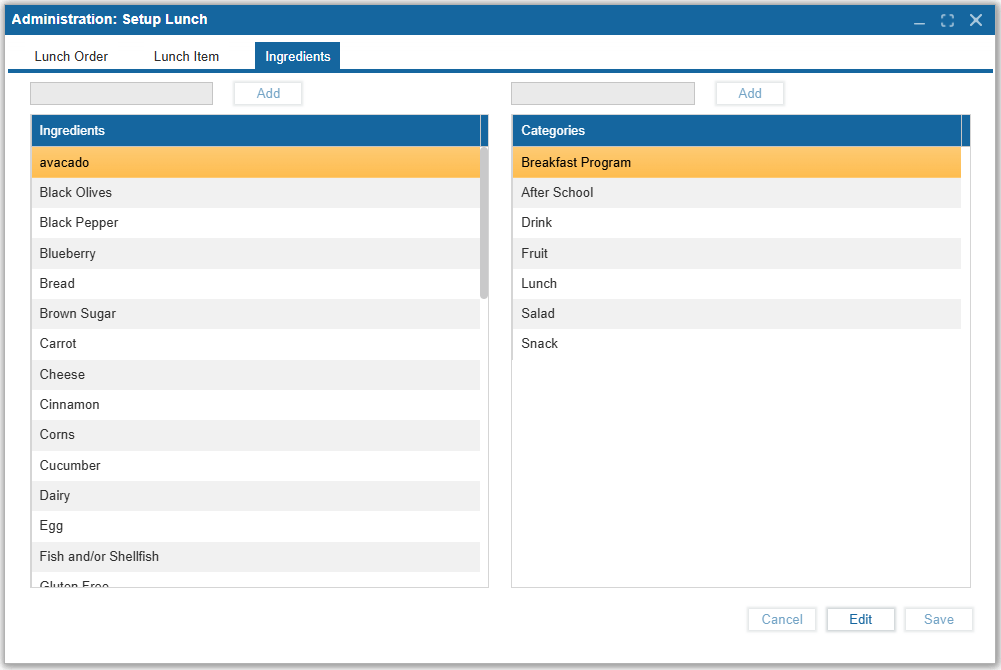
The Ingredients tab is used to add ingredients and categories. The ingredients and categories crea
ted in this tab will appear for selection in the Lunch Item tab.
As previously explained, the ingredients control the foods that a student with allergies is allowed to eat. The categories allow foods to be sorted by the cashier in the Lunch Checkout screen, making it easier and faster to find foods during checkout.