¶ Bank Account
¶ Overview
The Bank Account feature in the Administration module is used to enter PayPal and Credit Card Account information to allow online payments. Through this feature you may also view transactions made using these accounts. This feature is only available to Administrators of the school.
¶ Adding a PayPal Account
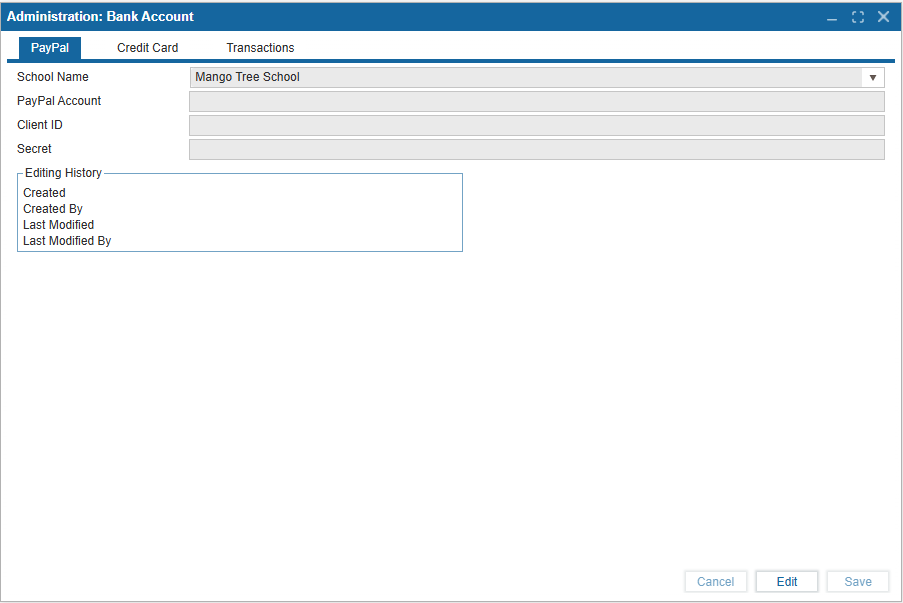
A PayPal account can be added using the API Credentials used for integrating PayPal. This will allow you to process online payments. An editing history grid will populate below the fields when saved so edits can be tracked.
-
Select Edit to enable fields.
-
Enter School Name. This will be populated automatically.
-
Enter PayPal Account.
-
Enter Client ID.
-
Enter Secret Key.
-
Select Save.
¶ Adding a Credit Card Account
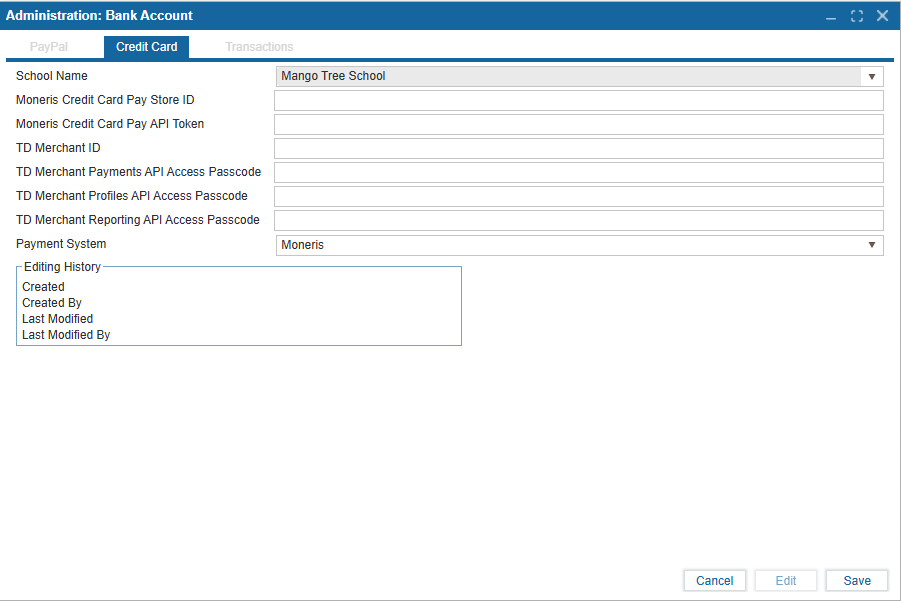
A Credit Card can be added using the API Credentials used for integrating a Credit Card. This will allow you to process online payments. An editing history grid will populate below the fields when saved so edits can be tracked.
-
Select Edit to enter the values relevant to your Payment System.
-
Enter School Name. This will be populated automatically.
-
Enter Moneris Credit Card Pay Store ID.
-
Enter Moneris Credit Card Pay API Token.
-
Enter TD Merchant ID.
-
Enter TD Merchant Payments API Access Passcode.
-
Enter TD Merchant Profiles API Access Passcode.
-
Enter TD Merchant Reporting API Access Passcode.
-
Choose a Payment System from the dropdown.
-
Select Save.
¶ Viewing Transactions
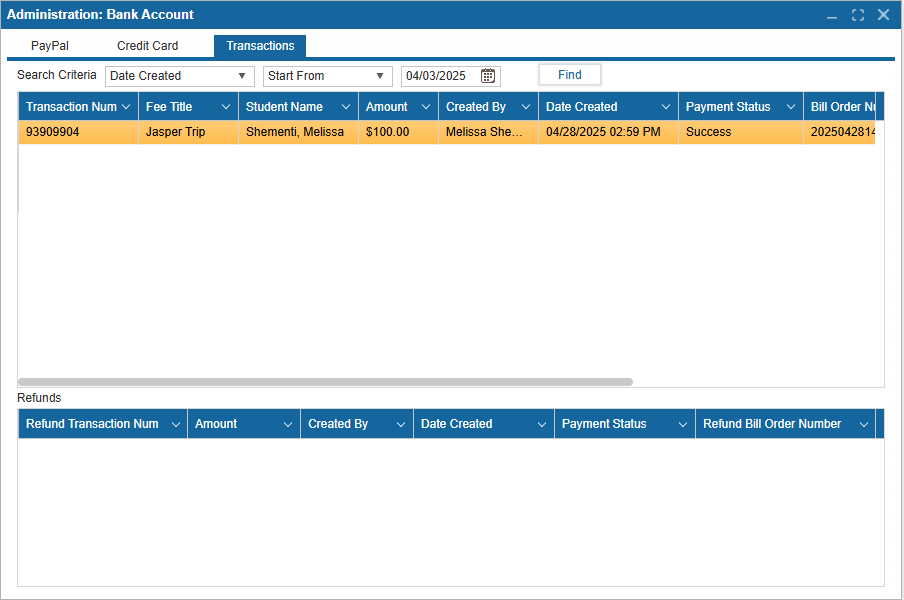
Any transactions made using the Credit Card or PayPal accounts added can viewed in the Transactions tab.
-
Use the Find button to populate the table.
-
You may also search by Date Created, Bill Order Number, Created By, Fee Title, Merchant Name, Payment Status, Student Name and Transaction Number.
-
The table lists the details of each transaction made with the entered accounts.
-
The bottom table will detail refunds made to the entered accounts.